6.1 How the Network Fits Together
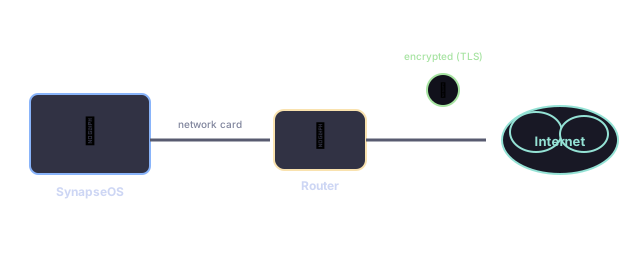
Getting a web page to appear on screen involves several layers working together, each one handling a different part of the job — a bit like a letter passing through a mail sorting facility, a truck, and finally a mail carrier before it reaches your mailbox.
What Works Today
| Capability | Status |
|---|---|
| Basic network communication | Fully working |
| Finding other devices on the network | Fully working |
| Sending/receiving basic network traffic | Fully working |
| "Ping" (checking if another device responds) | Fully working |
| Loading web pages, including secure ("https") ones | Working, browser-focused |
| Wi-Fi | Not yet supported — wired connections only |
6.2 The Network Card
SynapseOS supports a widely-used, older-generation network card design that's simple enough to fully understand and support from scratch — it was chosen precisely because virtual machines and many real computers can emulate or use it, making it a reliable, well-understood starting point.
When SynapseOS starts up, it automatically finds the network card, learns its unique hardware address (like a permanent serial number every network card has), and gets it ready to send and receive data.
6.3 Speaking the Internet's Language
Computers on a network agree on a shared "language" for exchanging data, made up of several layers stacked on top of each other. SynapseOS speaks the core layers well enough to browse the web and talk to other devices on the same network:
- Finding other devices — asking "who has this address?" and remembering the answer
- Addressing — every device gets a unique network address, like a street address for data
- Ping — a simple "are you there?" check, the same one used by the familiar
pingcommand - Connections — a reliable, ongoing conversation used for things like loading web pages

6.4 Opening Connections
Underneath the browser, SynapseOS provides a simple way for programs to open a network connection to another computer, send some data, wait for a reply, and close the connection — the same basic idea used by virtually every networked program on any operating system, just implemented in a small, focused way here.
6.5 Network Settings
SynapseOS ships with sensible default network settings that work out of the box in common testing environments, so you can start browsing immediately without configuring anything. These defaults can be inspected from the built-in terminal (see What You See and Use → Handy Commands).
6.6 Encrypted Connections
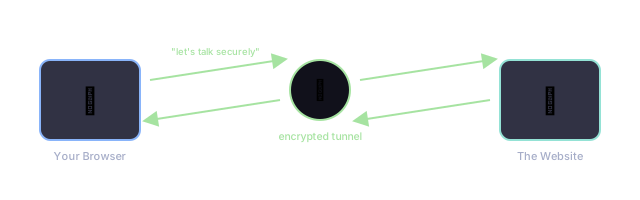
When you visit a secure website (one whose address starts with https), SynapseOS's browser sets up an encrypted tunnel first, using the same industry-standard encryption method ("TLS") that real-world banking and shopping sites rely on. Once that tunnel is up, everything sent back and forth is scrambled so that nobody eavesdropping on the network can read it.