11.1 How Programs Talk to the System

On most operating systems, ordinary programs have to go through a formal "request window" to ask the core system to do anything on their behalf — like reading a file or drawing to the screen. SynapseOS is simpler than that: because everything lives inside one program (see Chapter 2 → How It Fits Together), every part can talk to every other part directly, with no request window in between.
11.2 Built-In Toolkits
SynapseOS is organized into a handful of toolkits, each responsible for one job. You don't need to know how any of them work internally — this is simply a map of what's available under the hood.
11.3 Configuration Files
A few small text files control how the system behaves. You'll rarely need to touch these directly.
| File | What It's For |
|---|---|
| System settings file | Your saved preferences — username, timezone, theme, and keyboard layout |
| Bootloader settings file | Tells the bootloader how to find and start SynapseOS |
| Build configuration | Used only by developers building the project from source |
11.4 When Something Goes Wrong
Behind the scenes, when an action can't be completed — say, opening a file that doesn't exist — the responsible part of the system reports back a short reason instead of a full error window. Here are the everyday-language meanings of the most common ones:
| What It Means | When You Might See It |
|---|---|
| Success | Whatever was asked for actually happened |
| Not found | The file or folder you asked for doesn't exist |
| Already exists | You tried to create something that's already there |
| No space left | The filing system has reached its built-in limit |
| Permission denied | Your account isn't allowed to do that |
| Out of memory | The system ran out of working memory for the request |
| Not a folder / Is a folder | You tried to treat a file like a folder, or vice versa |
11.5 How the Project Is Organized
The source code behind SynapseOS is grouped into clearly labeled areas, each focused on one part of the system — much like how a factory has separate departments for different jobs.
11.6 Command Reference
These are the commands you can type into the built-in terminal window:
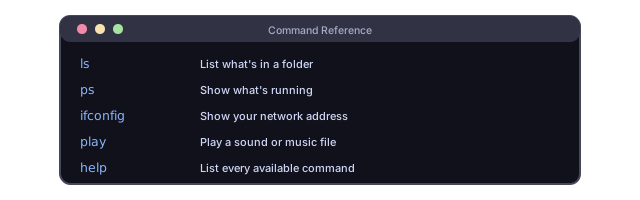
| Command | What It Does |
|---|---|
ls | Lists what's inside a folder |
cd | Moves into a different folder |
pwd | Shows which folder you're currently in |
cat | Displays the contents of a file |
echo | Prints whatever text you type |
mkdir | Creates a new folder |
touch | Creates a new, empty file |
rm | Deletes a file |
ping | Checks whether another computer on the network responds |
ifconfig | Shows your network address and activity |
arp | Shows other devices recently seen on your local network |
ps | Lists everything currently running |
mem | Shows how much memory is in use |
whoami | Shows which account you're logged in as |
users | Lists every account on the system |
su | Switches to a different account (asks for its password) |
play | Plays a sound or music file |
clear | Clears the terminal screen |
help | Lists every available command |
11.7 Glossary
Plain-language definitions for terms you might come across anywhere in this guide.
| Term | What It Means |
|---|---|
| Bootloader | The small program that runs first and hands control over to SynapseOS itself |
| Desktop compositor | The part that draws windows, the wallpaper, and the taskbar onto the screen |
| Diagnostic log | A running, text-based commentary of what the system is doing, mainly useful for troubleshooting |
| Driver | A small piece of code that knows how to talk to one specific kind of hardware |
| Encryption | Scrambling information so that only the intended recipient can read it |
| Filing system | The scheme SynapseOS uses to organize files and folders on a disk |
| Firmware / UEFI | The built-in software on your motherboard that runs before any operating system, and hands off control to it |
| Kernel | The single core program that is SynapseOS — there's no separation between "the system" and "the apps" here |
| Memory (heap) | The pool of working memory the system hands out to whatever needs it |
| Network card | The piece of hardware that lets a computer send and receive information over a network |
| Permissions | Rules that decide what each account is and isn't allowed to do |
| Scheduler | The part that decides which running task gets the processor's attention next, and for how long |
| Secure Boot | A firmware feature that checks the bootloader hasn't been tampered with before running it |
| Task | One unit of work the system is keeping track of — similar to a running "process" on other systems |
| Terminal | The text-based command window included with SynapseOS's desktop |
| TLS / encrypted connection | The technology that protects information traveling between your browser and a website |
| USB | The standard connector and protocol used for keyboards, mice, storage drives, and more |
| Virtual machine | Software that simulates a whole computer, letting you run SynapseOS on your existing computer without installing it |
| Window | A rectangular area on the desktop that one program draws its content into |