2.1 The Big Picture
Most modern operating systems are split into two zones: a small, trusted "control center" (usually called the kernel) that has full access to the machine, and a larger, restricted zone where ordinary programs run and can't directly damage anything else. If one of those ordinary programs crashes, the rest of the system usually keeps going.
SynapseOS takes a simpler, single-zone approach. Everything — the part that manages memory, the part that talks to the disk, the part that draws the desktop, even the web browser — runs together in that one trusted control center. There's no restricted zone yet. Think of it like a small workshop where every tool is out on the same bench, rather than a factory with separate rooms and locked doors between departments.
2.2 The Control Center
The "control center" (kernel) is the single program that's in charge from the moment startup finishes until the computer is turned off. It's loaded into a fixed, known location in memory every time the system boots, so every other part of the system always knows where to find it.
One of the more clever tricks the control center relies on: instead of carefully mapping out every piece of the computer's memory by hand, it asks the bootloader (see Chapter 3) to set up one giant, direct mirror of all physical memory ahead of time. That means any physical location in memory can be reached just by adding a fixed offset — no complicated bookkeeping required.
2.3 One Room, No Walls (Yet)
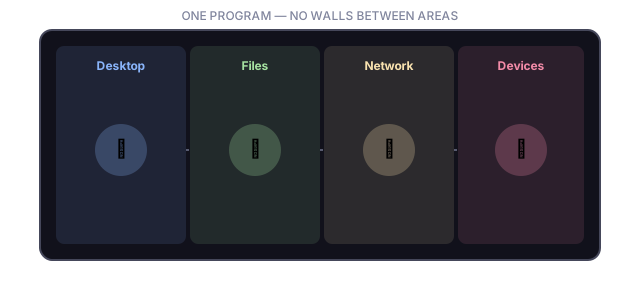
In SynapseOS, every program shares the same protected space — there's no hardware-enforced wall between "trusted system code" and "ordinary apps" the way there is in most consumer operating systems.
- User accounts (like "root" or a regular user) are tracked, and the system checks permissions before letting an account read or change a file.
- Only one account is "active" at a time. Switching accounts requires typing the correct password first.
- There's no formal "front desk" a program has to check in with before doing something — every part of the system can call any other part directly.
2.4 Juggling Many Things at Once
Even though everything shares one big room, SynapseOS still needs to juggle multiple jobs at the same time — drawing the screen, listening for keyboard input, checking the network — without one job hogging all the attention. Each of these jobs is called a task, and the system can track up to 32 of them simultaneously.
Every task moves through a simple lifecycle:
The very first task created at startup represents the boot process itself, and it's never removed — everything else is layered on top of it.
2.5 How Parts Talk to Each Other
Because every task shares the same space, there's no need for an elaborate messaging system between them — one part of the system can simply call another part directly, the way one person in the same room can just turn and ask a colleague a question instead of mailing them a letter. The graphical interface, for example, constantly checks for new keyboard or mouse input and immediately hands it off to whichever window is currently focused.
2.6 Where Everything Is Stored
SynapseOS reserves a fixed 192 MB block of memory at startup to use as its general-purpose "storage shelf" — every time a program needs a bit of extra memory (to hold a downloaded web page, decode a song, or store a new file), it borrows space from that shelf and returns it when it's done.
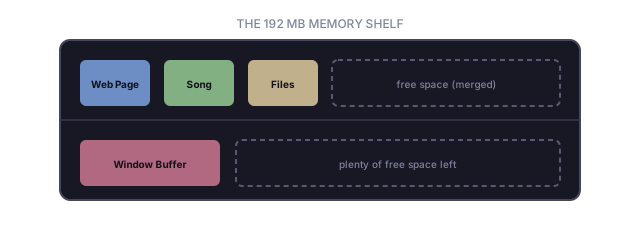
When a piece of memory is returned, the system looks for neighboring free spaces and merges them back together — a bit like consolidating empty boxes on a shelf so there's more room for the next big item, instead of leaving lots of small unusable gaps.
2.7 Talking to Hardware
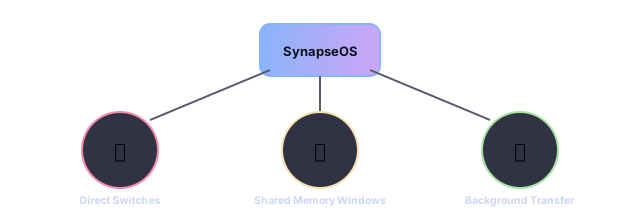
SynapseOS talks to physical hardware in a few different ways, depending on the device:
| Method | Used For |
|---|---|
| Direct hardware "switches" | Simple, older-style devices like the keyboard controller, the clock, and the disk controller |
| Shared memory windows | Higher-throughput devices like the network card, USB controllers, sound card, and the screen itself |
| Background data transfer | The network card can move data in and out without needing constant attention from the control center |